
Curious Bobby - Avatar Exporter
Version 1.0.2 · October 8, 2026
Unity Editor extension for AVATAR LIVE
Export your avatar for AVATAR LIVE.
Turn the Unity project you already upload to VRChat into a single .vavatar file — no VRM conversion, no rebuilding.
Unity 2022.3.22f1 · VCC / ALCOM
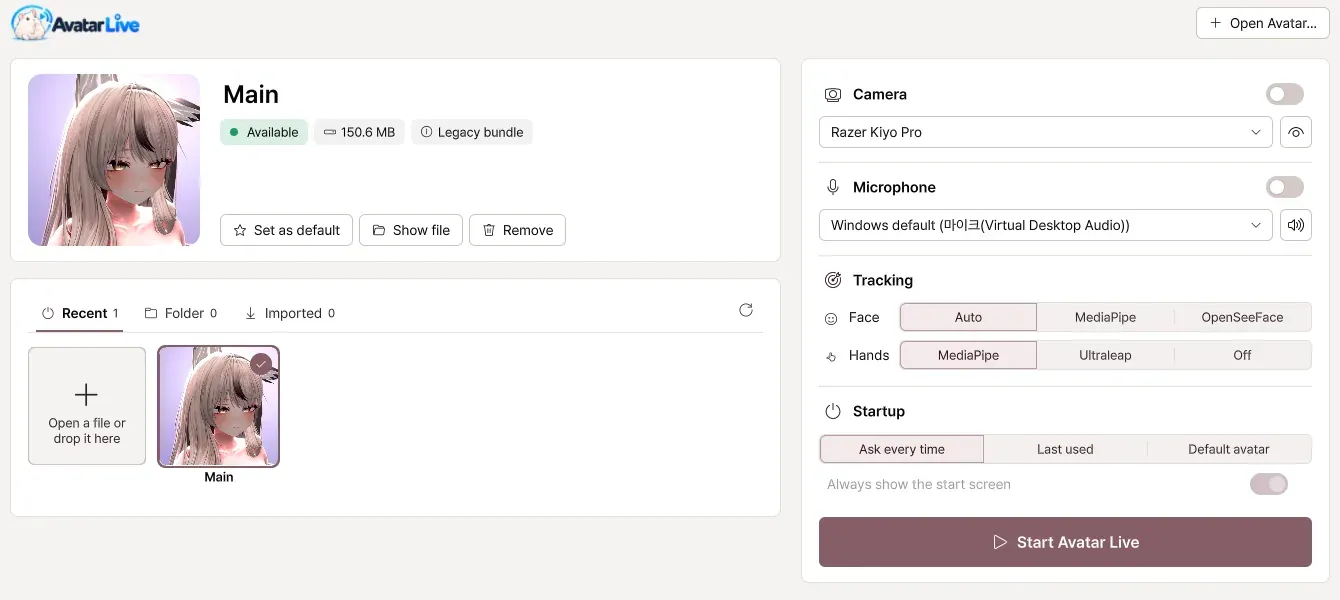
.vavatar → AVATAR LIVE
Install
Install with VCC or ALCOM
Avatar Exporter is distributed from our public VPM repository.
- 1
Click Add to VCC, or add the repository URL below in VCC or ALCOM (Settings › Packages › Add Repository).
- 2
Open your avatar project and add “Curious Bobby - Avatar Exporter”.
- 3
In Unity, open Curious Bobby › Avatar Exporter.
Repository URL
https://raw.githubusercontent.com/zzubi-works/avatar-exporter/main/index.jsonExport
From avatar to .vavatar in four steps
- 01
In the Unity menu, open Curious Bobby › Avatar Exporter.
- 02
Put the avatar you want to export in the Avatar field.
- 03
Click Export .vavatar.
- 04
When it is done, click Show file to see the file that was created.
If exporting does not go well, first check that the avatar uploads to VRChat normally.
Read the export guide(opens in a new tab)What it does
Built to leave your project as it is
Avatars and props
Exports avatars as .vavatar and props as .vprop files for AVATAR LIVE.
Works with your build tools
Avatars that use NDMF, Modular Avatar or VRCFury export as they are.
Your project stays untouched
Your original avatar and scene are not changed.
Re-export any time
After changing the avatar, just export again. Lighting, camera and other per-avatar settings carry over.
Extra expression clips
Optionally add expression animations for Automatic expressions in AVATAR LIVE.
Four languages
English, 한국어, 日本語 and 简体中文.
Sends nothing
The Exporter does not transmit any information.
No VRChat SDK code
It does not use, include or redistribute code from the VRChat SDK.
Requirements
- Unity
- 2022.3.22f1
- Avatar
- An avatar project that uploads to VRChat normally
- Package manager
- VRChat Creator Companion (VCC) or ALCOM
- Package
- com.curiousbobby.avatar-exporter
Release history
- 1.0.2Available(opens in a new tab)
- 1.0.1(opens in a new tab)
- 1.0.0(opens in a new tab)

Made for AVATAR LIVE
The files you export open in AVATAR LIVE, the Windows app that brings your VRChat avatar to streams, screen shares and videos.